How to Manage Admin Accounts?
The admin account handling page allows you to manage important financial tasks, including accepting payments, paying teachers, and reviewing profit and cash accounts. Follow the instructions below to effectively manage these areas.
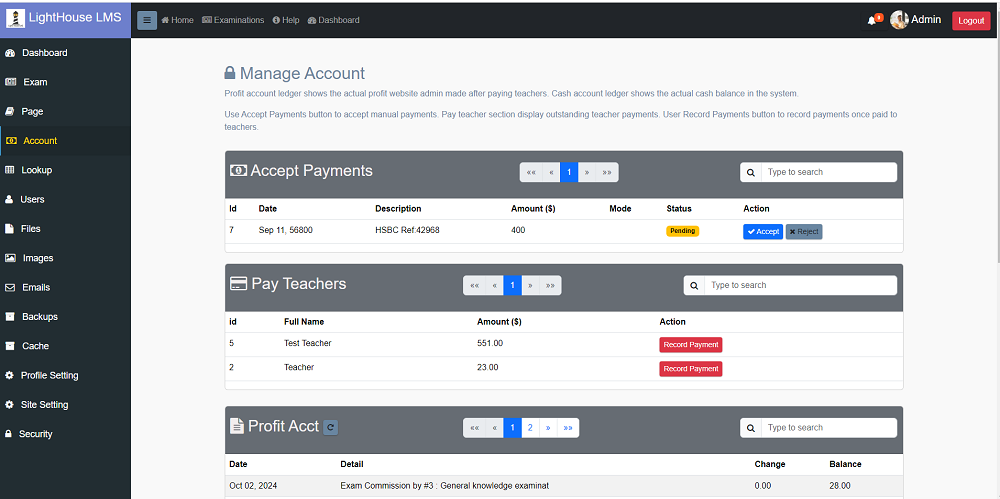
Section 1: Accept Payments
As an admin, you have the ability to approve manual payments made by students. This is especially useful when students make payments through bank transfers or other non-automated methods. To approve a manual payment:
- Step 1: Go to the Payments Approval section.
- Step 2: Review the list of pending payments and match them with bank records.
- Step 3: Once verified, click the " Accept" button to approve the payment.
You can also reject a payment if there are discrepancies. Click the Reject button to reject it.
Section 2: Pay Teacher
In this section, you can review teachers' earnings and pay them once they reach the payment threshold. Follow these steps to process teacher payments:
- Step 1: Go to the Teacher Payments section.
- Step 2: Review each teacher’s total earnings.
- Step 3: If the teacher has met the minimum payout threshold, you can click the Record payment to record the payment.
A popup will be displayed to capture the payment amount and date which will be added to the accounts.

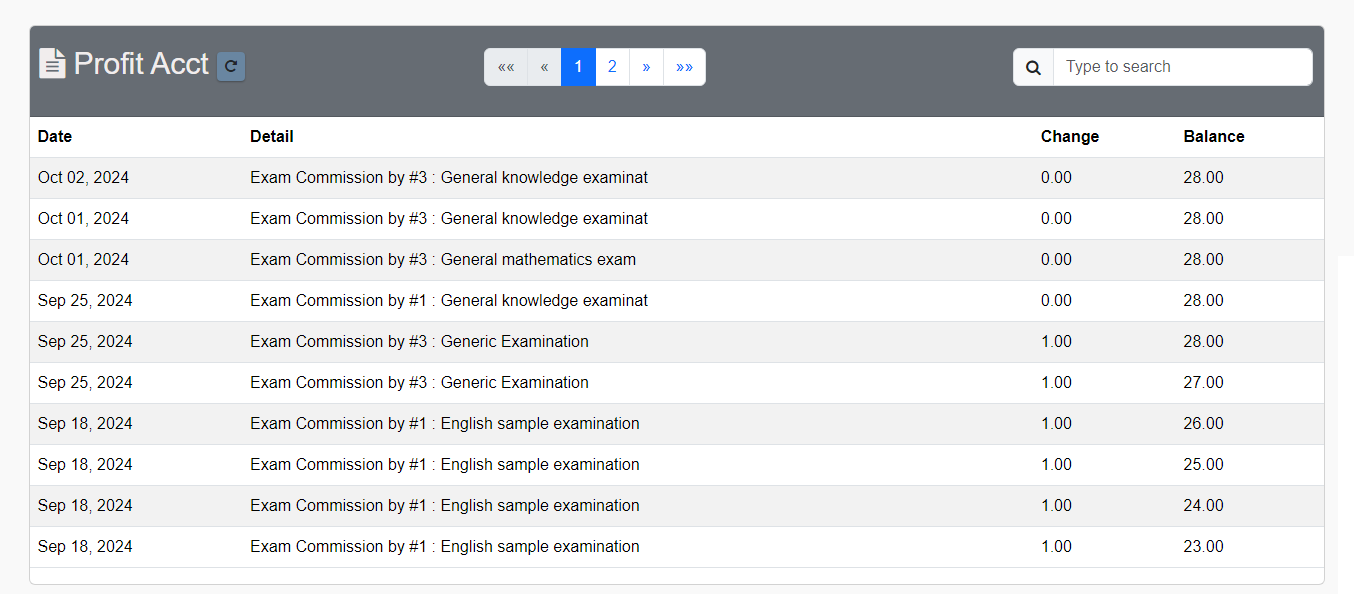
Section 3: Profit Account
The Profit Account section shows the total profit made by the admin after deducting the teachers' fees. This is calculated as:
- Total Earnings - Teachers' Fees = Profit
You can view detailed entries to know your financial performance. Amount creditted by students are not part of profit until they use it in exams but they are part of cash account as your cash balance grows.
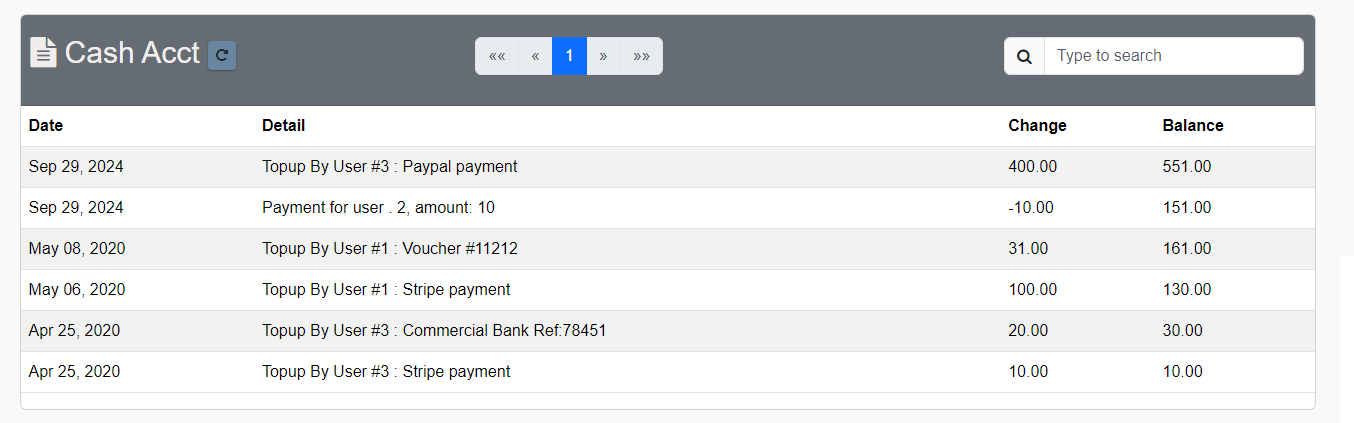
Section 4: Cash Account
The Cash Account reflects the total money available to the admin. It includes all payments received from students also amount to be paid to the users.
To ensure you have an accurate view of the cash flow:
- Step 1: Go to the Cash Account section.
- Step 2: Review total available funds, keeping in mind that some of these funds may be paid to teachers.
Managing these four sections effectively will help you maintain control over financial transactions in the platform. Be sure to regularly check each section for updates.